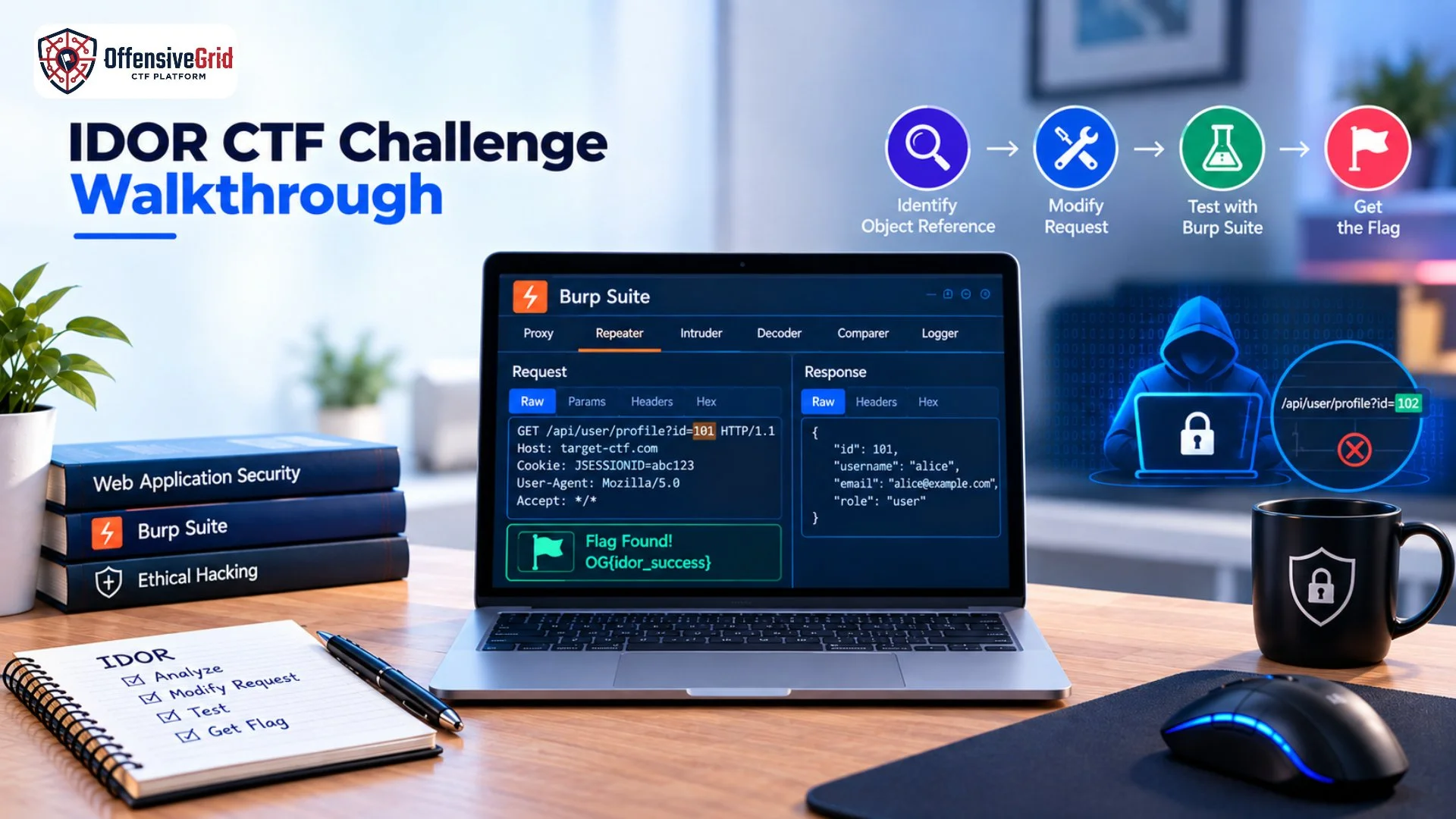

Web Capture the Flag (CTF) challenges are one of the most practical ways to develop web security and ethical hacking skills. Instead of only reading about vulnerabilities, CTFs let you investigate applications, identify weaknesses, test security controls, and find hidden flags in controlled environments.
If you are wondering how to solve web CTF challenges, the key is to follow a structured methodology rather than randomly trying payloads. You need to understand how the application works, identify its attack surface, recognize potential vulnerabilities, and carefully validate your findings.
This guide explains a practical approach you can use to solve web CTF challenges while building skills that are useful for web application security testing.
What Are Web CTF Challenges?
Web CTF challenges are cybersecurity exercises based on deliberately vulnerable web applications. Your objective is usually to discover a vulnerability, bypass a security control, access hidden functionality, or retrieve a specific flag.
Common challenge areas include:
- Authentication and session security
- Broken access control
- SQL injection
- Cross-site scripting (XSS)
- File upload vulnerabilities
- Local file inclusion
- Server-side request forgery
- Security misconfiguration
- API vulnerabilities
- Information disclosure
Many modern web CTFs are based on real-world vulnerability classes. The current OWASP Top 10:2025, for example, includes categories such as Broken Access Control, Injection, Authentication Failures, Security Misconfiguration, and Cryptographic Failures.
How to Solve Web CTF Challenges Step by Step
1. Read the Challenge Description Carefully
Before interacting with the application, read the challenge description carefully.
Look for clues about:
- The application functionality
- Available accounts
- User roles
- The target objective
- Possible technologies
- Restrictions or hints
- Expected flag format
Sometimes a single sentence can reveal an important part of the intended attack path. Do not immediately start testing random payloads. First, understand what the challenge is asking you to accomplish.
2. Explore the Web Application
The next step is reconnaissance within the CTF environment.
Open the application normally and interact with its available features. Check pages such as:
- Login and registration
- User profiles
- Search functionality
- Product pages
- File uploads
- Admin panels
- API endpoints
- Account settings
- Contact forms
- Password reset functionality
Pay attention to URLs, parameters, forms, cookies, HTTP methods, redirects, and error messages. OWASP’s Web Security Testing Guide emphasizes understanding the application’s structure and mapping important workflows before deeper security testing.
3. Identify the Attack Surface
Once you understand the application, create a mental map of its attack surface.
For example:
Login
↓
Dashboard
↓
Profile → /profile?id=10
↓
Orders → /orders/25
↓
Download → /download?file=report.pdf
Each input or functionality may provide a different testing opportunity.
Look for user-controlled values such as:
- id=10
- user=admin
- file=document.pdf
- page=2
- redirect=/dashboard
- JSON parameters
- Cookies
- Authorization headers
The goal is not to attack everything at once. Prioritize functionality where changing user-controlled input could affect server-side behavior.
4. Capture Requests With Burp Suite
Burp Suite is one of the most useful tools for solving web CTF challenges because it allows you to inspect and modify HTTP requests.
You can use Burp Suite to:
- Capture requests
- Inspect parameters
- Modify HTTP methods
- Change cookies
- Test headers
- Replay requests
- Compare responses
- Investigate APIs
For example, suppose the application sends:
GET /profile?id=101 HTTP/1.1
Host: ctf.example
Cookie: session=abc123
You might investigate what happens when the object reference changes within the authorized CTF environment.
For more detailed guidance on using the tool, see how to use Burp Suite. An intercepting proxy helps you see what the browser sends and what the server returns, which is often essential for identifying web vulnerabilities.
5. Look for Common Vulnerability Patterns
After mapping the application, start testing vulnerability categories systematically.
Broken Access Control
Check whether users can access functionality or objects they should not be able to access.
For example, an application may use:
/profile?id=101
A CTF challenge may be designed so that changing the object reference exposes another user’s information.
This type of issue is commonly associated with IDOR and broken access control.
SQL Injection
Look for inputs that interact with database queries.
Potential testing locations include:
- Login forms
- Search fields
- Product IDs
- URL parameters
- API parameters
In a CTF, the challenge may provide clues that an input is connected to a database.
Cross-Site Scripting
Look for locations where your input is reflected or stored and later displayed in the browser.
Common locations include:
- Search fields
- Comments
- Profile fields
- Contact forms
- URL parameters
In a controlled CTF, testing whether input is interpreted as HTML or JavaScript can help identify an XSS challenge.
File and Path Vulnerabilities
File-related functionality deserves careful attention.
Examples include:
/download?file=report.pdf
/view?page=home
Investigate whether the application properly validates which files or resources a user can access.
Authentication and Session Issues
Examine login, logout, password reset, session handling, and role-based functionality.
Ask questions such as:
- Does authentication behave as expected?
- Are session tokens handled correctly?
- Are different roles separated?
- Can protected functionality be accessed without proper authorization?
6. Use Repeater to Test Your Hypotheses
One of the most useful techniques when solving web CTF challenges is to form a hypothesis and test it systematically.
For example:
Observation: A request contains a user-controlled ID.
Hypothesis: The server may not properly verify ownership of the requested object.
Test: Modify the ID and compare the response.
Result: The response changes unexpectedly.
Next step: Investigate whether the behavior reveals the intended challenge objective.
Burp Repeater is particularly useful because it lets you modify and resend requests repeatedly without navigating through the application every time.
7. Analyze Responses Carefully
Do not focus only on whether a request returns HTTP 200.
Compare:
- Status codes
- Response length
- JSON fields
- Error messages
- Redirects
- Cookies
- Headers
- Hidden values
- Different response content
Sometimes the vulnerability is revealed through a small difference between two responses.
For example:
Request A → 403 Forbidden
Request B → 200 OK
That difference may provide an important clue about the application’s authorization logic.
8. Follow the Flag
Once you identify the vulnerability, determine how it connects to the challenge objective.
A flag may be:
- Displayed directly in a response
- Hidden inside an account
- Stored in a file
- Returned through an API
- Available through an admin function
- Revealed after completing a specific workflow
Avoid assuming that the first interesting response is the final solution. Trace the application’s logic and confirm that the result actually satisfies the challenge requirements.
9. Use a Structured Testing Method
A common mistake is jumping between different vulnerabilities without documenting what has already been tested.
Instead, create a simple checklist:
[✓] Application mapped
[✓] Endpoints identified
[✓] Parameters reviewed
[✓] Authentication tested
[✓] Access control reviewed
[ ] Injection tested
[ ] XSS tested
[ ] File handling reviewed
[ ] API behavior reviewed
[ ] Flag identified
This makes your process more consistent and prevents you from repeatedly testing the same functionality.
OWASP describes its testing methodology as consistent, reproducible, and rigorous, which is a useful mindset for approaching CTF challenges.
Practice Web CTF Challenges Safely
The best way to improve is through deliberately vulnerable environments rather than unauthorized real-world systems. You can practice with platforms and applications specifically designed for security training. OWASP’s current CTF ecosystem includes deliberately vulnerable projects such as Juice Shop, DVWA, WebGoat, Security Shepherd, VAmPI, and VulnerableApp.
You can also build your skills through a structured Web App Pentest Lab with Flags, where the objective is to identify vulnerabilities and capture flags in a controlled environment.
For broader preparation, learning about Penetration Testing Tools can also help you understand when to use tools such as Nmap, Burp Suite, Wireshark, OWASP ZAP, and other security-testing utilities. Offensive Grid can also be used as a practical environment for hands-on cybersecurity training, CTF-style exercises, and web security practice.
Common Mistakes When Solving Web CTFs
Randomly Trying Payloads
Using payloads without understanding the application often wastes time. Start with reconnaissance and form a hypothesis first.
Ignoring Application Logic
Many CTFs are based on business logic rather than a simple technical payload. Understand how users, roles, objects, and workflows interact.
Focusing Only on the Homepage
Important endpoints may exist behind login pages, API requests, forms, or specific application functions.
Not Comparing Responses
Small differences in responses can reveal authorization problems, filtering behavior, or hidden functionality.
Forgetting to Document Findings
Keep notes about endpoints, parameters, requests, responses, and successful tests. This becomes increasingly important as challenges become more complex.
FAQs
What should I learn before solving web CTF challenges?
Basic HTTP, HTML, JavaScript, cookies, sessions, authentication, APIs, and common web vulnerabilities are useful starting points.
Is Burp Suite necessary for web CTFs?
Not always, but Burp Suite is extremely useful for inspecting and modifying HTTP requests, making it valuable for many web challenges.
What vulnerabilities should I learn first?
Start with common areas such as authentication, broken access control, IDOR, SQL injection, XSS, file handling, and security misconfiguration.
How long does it take to become good at web CTFs?
It depends on your existing knowledge and practice. Consistent hands-on practice is more important than simply memorizing payloads.
Conclusion
Learning how to solve web CTF challenges is mainly about developing a repeatable security-testing mindset. Start by understanding the application, map its functionality, identify user-controlled inputs, inspect HTTP requests, form a hypothesis, test it carefully, and follow the evidence toward the flag. Rather than relying on random payloads, use a structured methodology based on reconnaissance, vulnerability identification, controlled testing, and response analysis. With regular practice in authorized CTF environments, you can gradually develop practical skills that also transfer to web application security assessments and penetration testing.